Agents
Running multiple agents
Keep a fleet of agents side by side, read their live status at a glance, and know which signal each agent reports through — the program status protocol, hooks, its terminal title, or the screen as a last resort.
Fyolo is built for running more than one agent at once. The sidebar is your control surface: every session is a row, and every row reports what its agent is doing right now. Any terminal will let you open several agents at once; what this buys you is not having to watch them.
Built-in agents
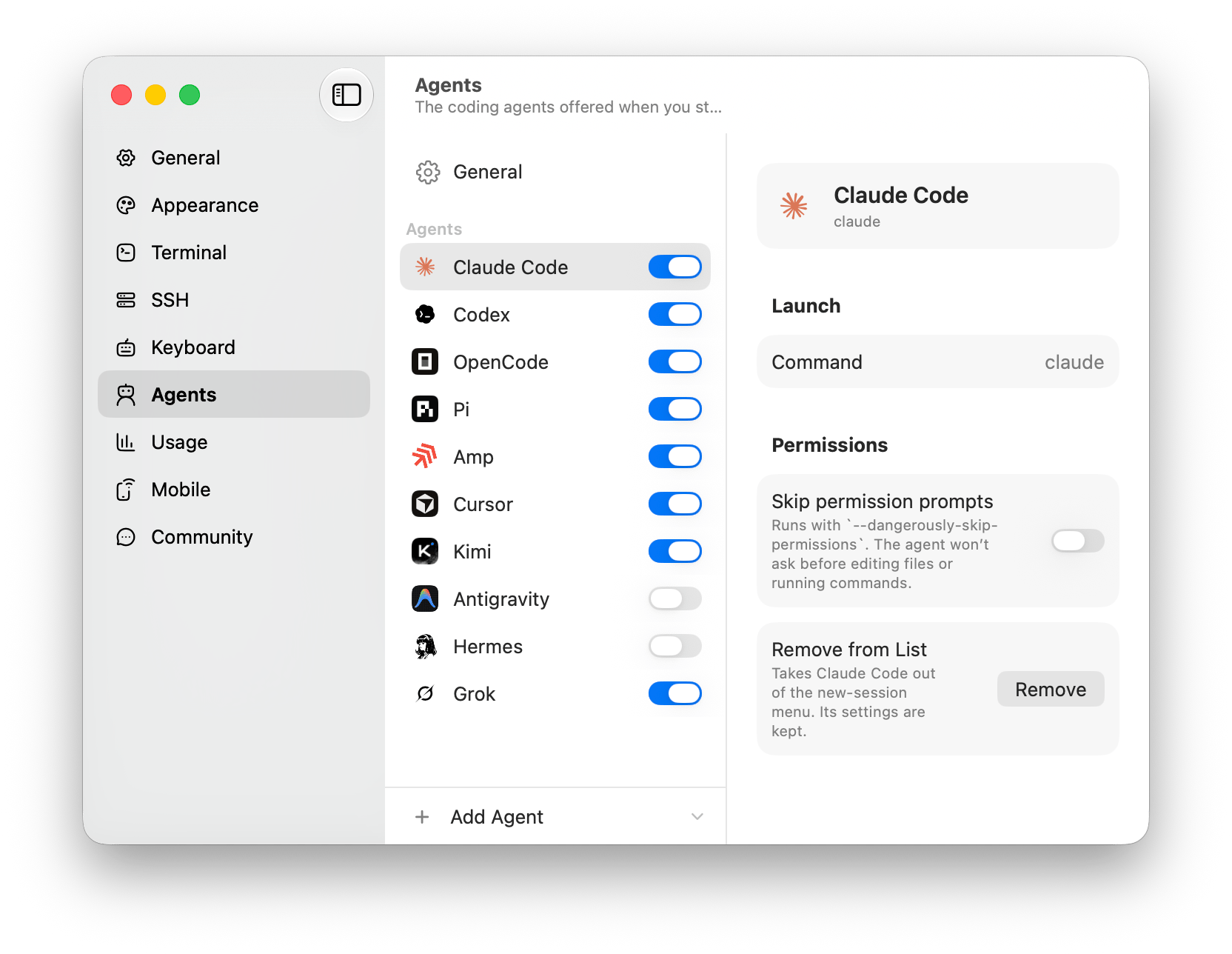
Fyolo recognizes the common coding agents out of the box:
| Agent | CLI |
|---|---|
| Claude Code | claude |
| Codex | codex |
| OpenCode | opencode |
| OpenCode 2 | opencode2 |
| Pi | pi |
| Amp | amp |
| Droid | droid |
| Cursor | cursor-agent |
| Copilot | copilot |
| Kimi | kimi |
| Qwen Code | qwen |
| Antigravity | agy |
| Crush | crush |
| Cline | cline |
| Hermes | hermes |
| Grok | grok |
Any of these that’s installed on your PATH appears as a launch option. A plain
shell is always available too. Running something else? Any CLI can become a
first-class agent — see Custom agents.
PATH means the machine’s own PATH: Fyolo looks for these on whichever
machine the workspace is on, so a VPS offers what is installed there. Settings
▸ Agents says so in the row — Not installed on devbox — rather than hiding
it behind a machine picker, and the machine’s own page under Remote
hosts is where you fix it.
Fyolo launches each agent through your real login shell, so everything your
shell profile sets up — version managers, PATH additions, credentials — is
there exactly as it would be in iTerm. If an agent is installed but Fyolo says
it isn’t found, that is almost always a PATH question; the Agents tab says so
and takes an absolute path in the command field.
What each agent reports
Status isn’t guessed the same way for every agent, and the difference is worth
knowing when a dot doesn’t move. Each agent declares its own channels in its
manifest, except one: program status is the agent reporting
its state over the terminal with the program status protocol
(OSC 7501), and outranks every other signal while it speaks. Hooks are the
agent reporting its own turns and are authoritative wherever program status is
absent; title is an in-band signal read off the
terminal title; progress is the OSC 9;4 progress sequence. An agent that
declares none of these is read from the pane itself — from whether its output is
still moving, not from matching words on the screen, which only happens for an
agent whose manifest spells the patterns out.
| Agent | Status signal | Resumes its conversation |
|---|---|---|
| Claude Code | Program status + hooks + title | Yes |
| Codex | Hooks + title | Yes |
| Grok | Hooks + title + progress | Yes |
| Qwen Code | Hooks + title | Yes |
| Pi | Program status | Yes |
| OpenCode | Hooks (plugin) | Yes |
| OpenCode 2 | Hooks (plugin) | — |
| Amp | Hooks | — |
| Cursor | Hooks | — |
| Copilot | Hooks | — |
| Kimi | Hooks | — |
| Cline | Hooks | — |
| Droid | Hooks | — |
| Crush | Screen rules + progress | — |
| Antigravity | Output activity | — |
| Hermes | Output activity | — |
Program status needs Claude Code 2.1.295 or Pi 1.1.0 and later. Claude Code’s hook now only adds the tool it is running; Pi needs no hook at all. An older version reports less: Claude Code’s dot follows its terminal title, and Pi’s follows its output.
“Resumes its conversation” means reopening the session puts the agent back in the same conversation rather than a blank one — see What survives. Agents without it come back as a fresh run in the same directory.
Hooks are installed for you, per machine, when Live agent status is on. An agent on a box you set up before turning that on has none, which is the usual reason a remote session’s dot never moves — see Status hooks & session control.
Reading status at a glance
Every session row carries a live status dot — working, idle, done, or needs you. The sidebar guide explains what each state means, and Concepts covers where the signal comes from.
The distinction that matters is done versus needs you. A finished turn is done — a calm cue that work landed while you were elsewhere. Needs you is reserved for an agent that genuinely cannot continue: a permission prompt, a question, a choice. Conflating the two is what turns a fleet into a pile of alarms, so Fyolo keeps “ready” quiet and saves the loud state for the one case where walking away costs you time.
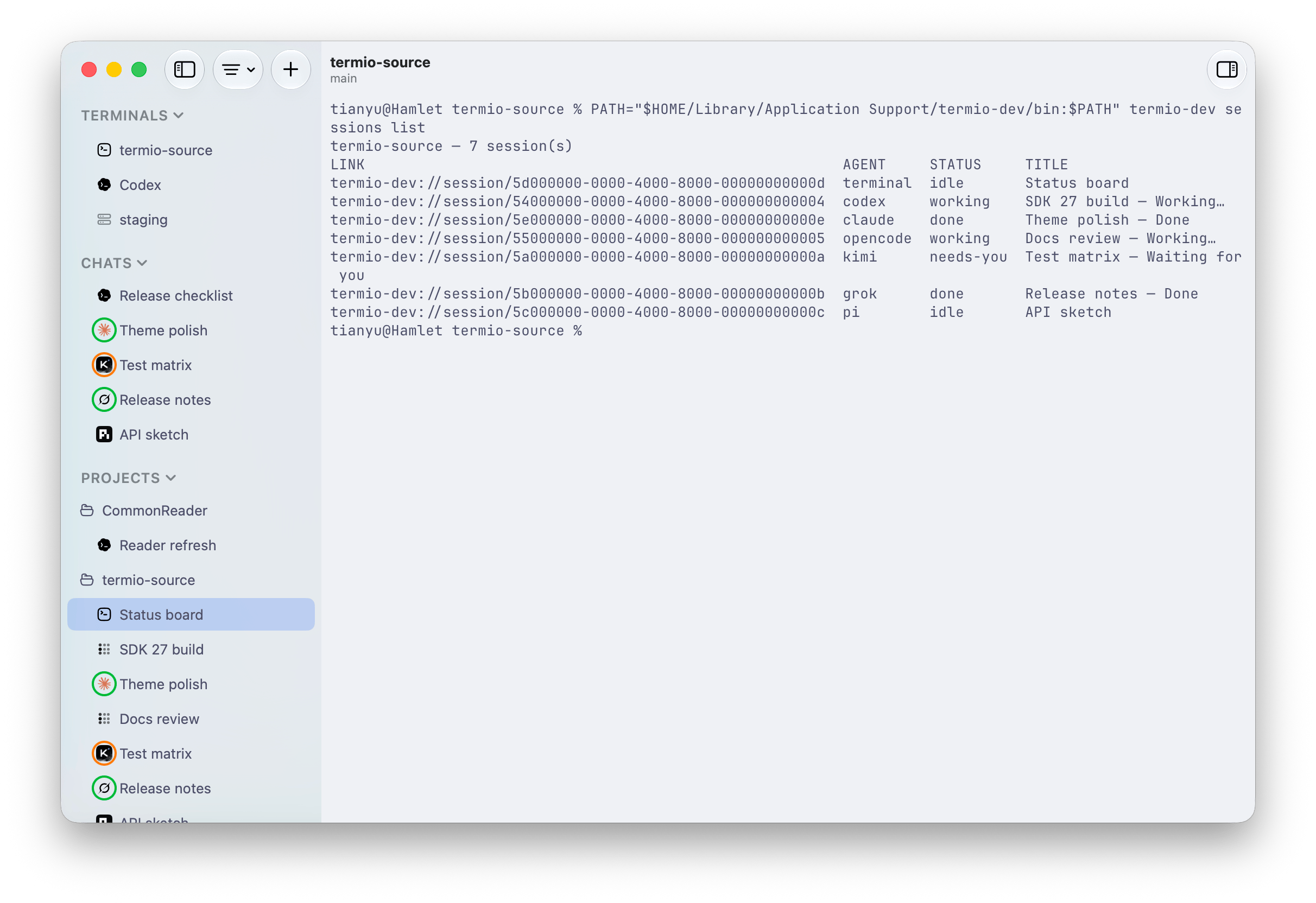
Statuses roll up. A project’s row summarizes the sessions inside it, and the menu-bar tray summarizes everything — so you can be in another app entirely and still know the moment something needs you.
Skipping permission prompts
Many agents ship a flag that stops them asking before each tool call. Where one exists, Fyolo wires it to a toggle rather than making you remember the spelling: turn it on for an agent in Settings ▸ Agents and Fyolo appends that agent’s own flag when it launches.
It is a standing decision about that agent, so unlike its command path it is
not per machine — the flag goes on every launch of that agent, on every
machine. Read the flag before you turn the switch on: these are the vendors’ own
escape hatches and some of them give up more than the prompt. Codex’s is
--dangerously-bypass-approvals-and-sandbox, which drops its sandbox along with
the approvals. Fyolo appends what the vendor documents; it adds no sandbox of
its own.
An agent running unattended is exactly the one you want a real status channel on. Turn on hooks before you turn off prompts, or you lose the signal that would have told you it stopped.
Switching without losing your place
Clicking a session brings it forward instantly; the others keep running in the background. Because each session is a real process hosted on its machine, an agent doesn’t pause when it’s off-screen — or when you switch workspaces, or close the window. Kick off a long run in one, switch to another, and come back when the first raises its hand.
When you have more than a handful of sessions, ⇧⌘O jumps straight to any of
them by name — see Navigation.
Keeping two agents out of each other’s files
Two agents in one checkout will collide: same working tree, same index, same branch. The fix isn’t coordination, it’s separation — give each line of work its own git worktree and point an agent at each. Fyolo reads worktrees from git itself and nests them under the project, so this is a right-click rather than a setup step. See Git worktrees.
Letting agents drive each other
Once a fleet is normal, the next thing you want is for one agent to run the
fleet. fyolo sessions is that API: an agent can list its siblings, spawn new
ones on a prompt, answer a session that’s blocked, and block until a turn
settles — all over a local socket, scoped to its own project.
fyolo sessions list
fyolo sessions spawn "update the changelog for 0.54" --agent codex
fyolo sessions watch
It’s opt-in, and turning it on also installs a small skill that teaches your agents the commands exist. See Command-line tool for the full verb reference and Session control for the switch.